The hardware behind the work.
The Lab2
Most of this new version of me started on my old S23+, the first phone to run claude-code-android. I started building more and reading the docs with a different lens. What began with the phones grew into The Lab², where I build, test and experiment every day.
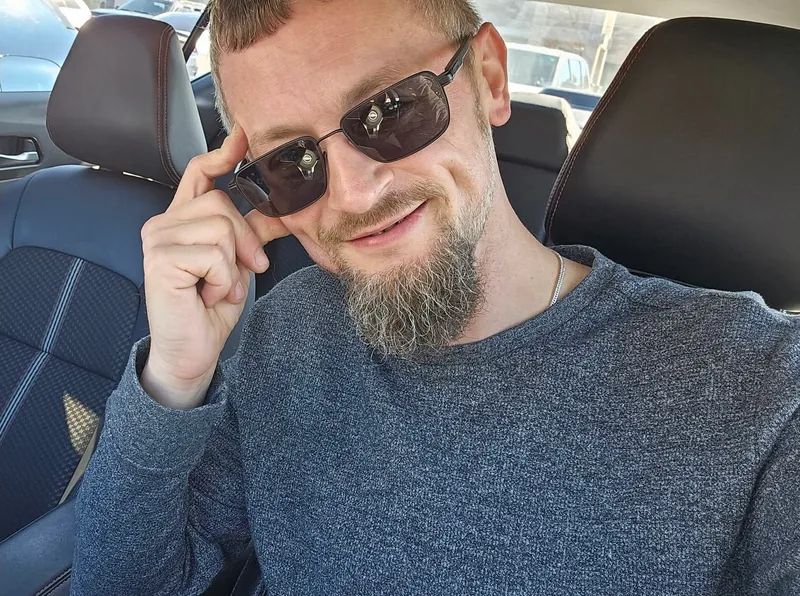
Same change, different phone
Android 8 to 17.
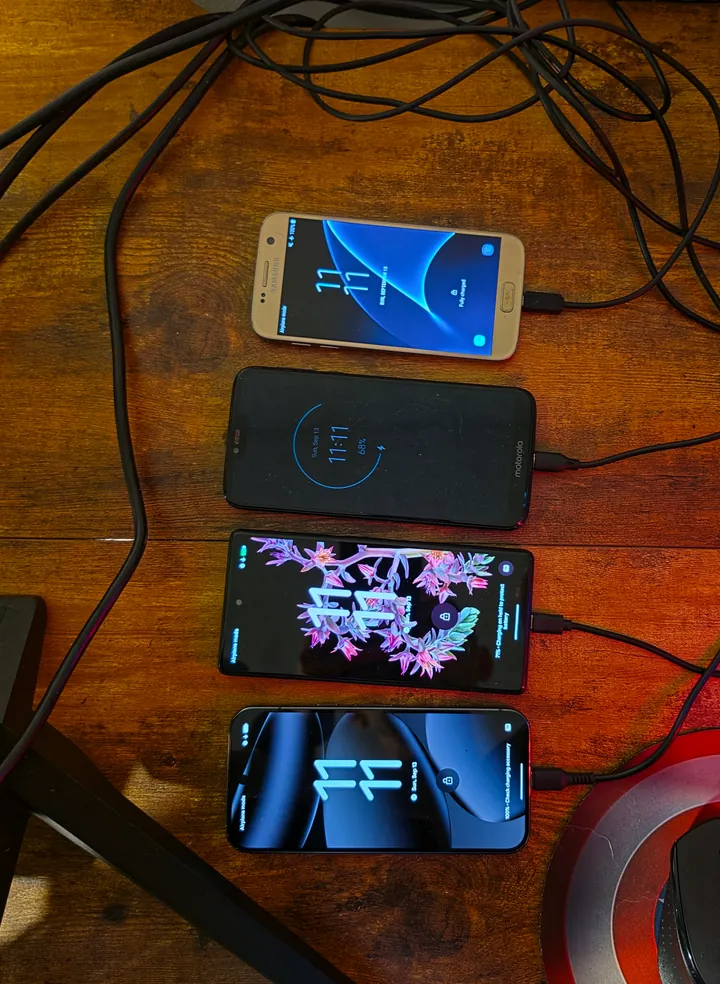
This is the original “Lab,” as I affectionately refer to it. The phones are usually connected over USB to Frostbyte, with ADB (Android’s debugging tool) running the connection. This is where the Android work happens, from Termux, Tailscale and rclone tests to watching an LLM play a game I’ve been goofing with.
Both Pixels run Android 17 and support AVF, the Android Virtualization Framework. It lets me run a Linux virtual machine with its own kernel on the phone.
I bought the Moto and Galaxy specifically for older Android versions and hardware. A change that works on a recent Pixel can still fail on an old Samsung. That’s where the lessons are learned.
The old Samsung S7 feels like a shot into the past. I’ve been on Android since day 1. I had the HTC T-Mobile G1. I’m still amazed by what this community of developers and users builds, and grateful to be part of it.
Pixel 10 Pro
- Installed system
- Android 17
- Hardware
- Tensor G5 / 16GB RAM
- Screen
- 6.3-inch OLED / up to 120Hz
Recent hardware for Android 17 checks, Termux workloads and seeing how an app or game responds on a high-refresh screen.
Pixel 6
- Installed system
- Android 17
- Hardware
- Google Tensor / 8GB RAM
- Screen
- 6.4-inch OLED / up to 90Hz
An earlier Tensor phone on the same Android version. Useful for comparing behavior across hardware generations, alongside the AVF experiments.
Moto G7 Power
- Installed system
- Android 10
- Hardware
- Snapdragon 632 / Adreno 506
- Screen
- 6.2-inch HD+ LCD
Older budget hardware. A useful place to look for slow startup, uneven game frame times and awkward layouts that are less obvious on a newer phone.
Galaxy S7
- Installed system
- Android 8
- Hardware
- 4GB RAM
- Screen
- 5.1-inch Quad HD AMOLED
The oldest Android release and smallest screen on the bench. Useful for Termux compatibility, older app support and checking whether controls remain readable and usable.
On the S26 Ultra, Termux has to coexist with normal phone use. The bench gives me devices I can leave in a repeated test.
The OpenAL Soft work is one example. I had to get the original code to fail, compare it with the fix, and work out what the result actually established. More devices helped.
How I ended up back at OpenAL Soft →Want me to test yours?
Have an Android app, game or Termux package that needs a second set of eyes? Tell me what it should do, which Android versions you support and where it’s failing. We’ll pick the devices and a focused test: startup, touch controls, layout, audio or a repeatable crash.
Talk through a test →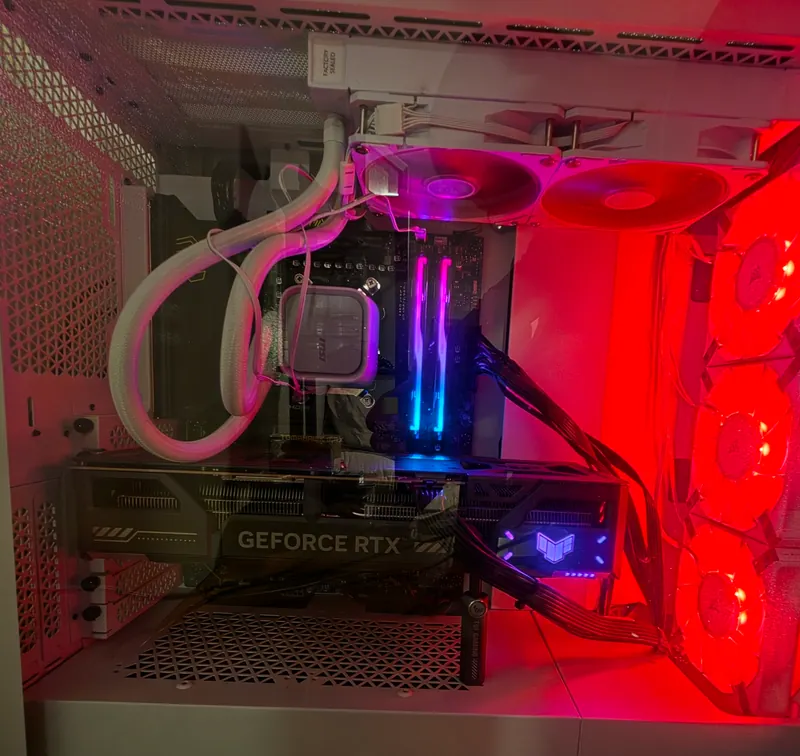
The heavier work
ole Frostbyte.
The first day I turned it on, it was dark. The lights kicked on, and the glow under the desk brought a grin. This is where I run local inference, test runs and Docker builds.
If you see Erin Dalton buzzing past you on iRacing, this is the machine behind it.
- Processor
- Ryzen 9 7900X
12 cores / 24 threads - Memory
- 64GB G.Skill DDR5
2 × 32GB / 4800 MT/s configured - Graphics
- ASUS TUF RTX 5070 OC
12GB GDDR7
It runs Windows 11 Pro, with Ubuntu environments for Linux work and a separate Windows 11 virtual machine for trying development tools on a fresh installation.
Inference at home
What will run here?
What will it get right?
I run local models through Ollama and llama.cpp. Some experiments are about code or creative work. Others are about reading or generating images, or experimenting with video. I want to see where the answer holds up and where it falls apart.
A few in the stack
- Qwen3.6-35B-A3B / local text and coding experiments through llama.cpp, with the model’s expert weights offloaded to the CPU and system RAM.
- Dolphin 3 8B and Hermes 3 8B / comparing their outputs on coding, creative work and security guardrails.
- Gemma 3 4B / text and image input through Ollama.
- Stable Diffusion 1.5 / local image generation through ComfyUI.
- LTX-2.3 / a local video model in the stack, with the 22B dev FP8 weights.
12GB of happy regret.
When I bought this 12GB card in November 2025, I figured it was nuts to spend 700 bucks on 24GB of VRAM. Everything I was doing and studying said 12 to 16GB would be fine. Well, little did I know how much I would want to do and how much I would actually do.
Lately I’ve been pushing larger mixture-of-experts (MoE) models on my own hardware. That means working with system RAM and the CPU as well as the GPU, then experimenting with settings, memory use and speed to make them more practical to run. Getting one to load is the start. Then I need to see how it answers and how long it takes.
Still useful
A laptop. A Chromebook.
Occasionally, a screwdriver.
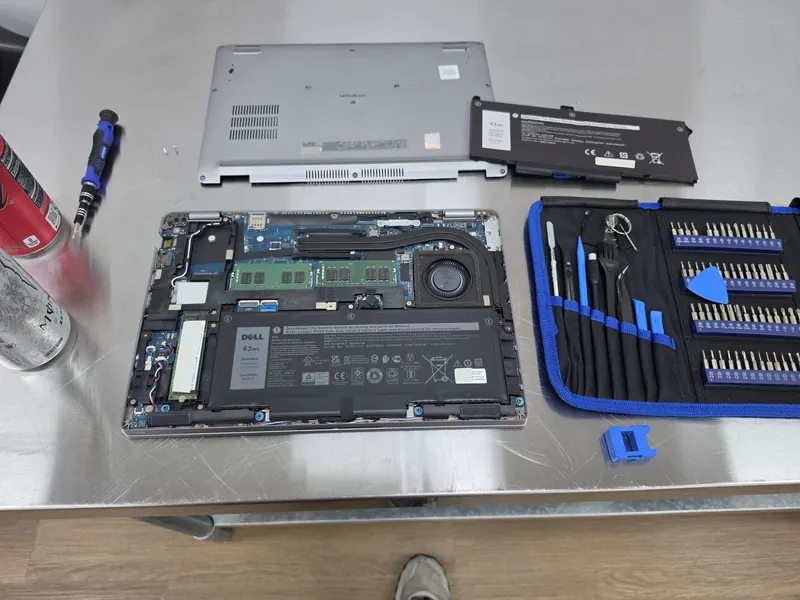
nomadic-fenice
A Dell Latitude 5420 with 32GB of RAM. I found it on Newegg for $275 in March and couldn’t say no. I was trying my hardest to get real work done on my Chromebook, frost-biddle, and that potato wasn’t making fries.
It’s an old corporate laptop. I liked the durability, Windows 11 Pro and the security features. And, as you can see, I can work on it. The photo is from a battery change.
frost-biddle
An ARM64 Chromebook with the ChromeOS Linux environment, Crostini. This is where I investigated the Tailscale-triggered crash in garcon, a helper in the ChromeOS Linux environment. Following the crash eventually took me into ChromiumOS review.
The ChromiumOS / Garcon crash fix →These machines give me different places to reproduce a problem.
Tools and open source
Work that keeps me curious.
- Claude Code and Codex / working through code, writing tests and reviewing changes.
- Android Studio and Android tools / builds, debugging and testing on the phones.
- ADB / connecting to the phones, running commands and collecting logs.
- Termux / a terminal and Linux tools on Android. A lot of my work started here.
- rclone / I found it by accident. It’s become useful software for moving and syncing files, and a great teaching tool.
- Tailscale / connecting my devices and working across them.
- Goose / an open-source agent I use for defined jobs on my machine.
- ARTEMIS / working with ADB and agents on better-directed Android tests, aiming for less context and token waste.
- Colibrì / its approach to running large MoE models caught my eye. I want to push further with larger local models, optimization and experiments.
- Microsoft’s AI Engineering Coach / I spend a lot of time in the Microsoft environment. I use it to learn more about how I work with AI.
- OpenClaw and Hermes Agent / open-source approaches to personal agents that I’m interested in exploring.
I’m also working out what I want from an agent with a specific job. A repo watcher that notices when the docs no longer match the code, for example. Something that brings back useful work for me to review. That’s an experiment I want to run.